
Manage requests without letting requests manage the night.
Collect requests, approve what fits, build the live Playlist, show Current and Up Next, and track what worked after the event — all from one command center.
Stay in control of the night.
Every request comes through you
Guests can submit from a QR code, kiosk, paper slip, or walk-up request, but the DJ decides what enters the live Playlist.
Greatly reduce request spamming
Per-device tracking, cooldowns, repeat-request rules, and consolidated demand counts keep repeated button-pressing from dominating your screen.
Drive your DJ software from the Playlist
The free Playback Bridge runs beside your DJ software and plays, cues and changes the tempo of the song you picked — and on VirtualDJ and djay Pro it loads the track too. How much it can do depends on which program you run, and on VirtualDJ and Mixxx it marks the song Played for you. See what works with your software →
Control when requests open and close
Open requests before the event and cut them off before the end so the last part of the night stays manageable.
Build the night as it happens
Move approved requests into the Playlist, adjust order, mark songs played, and keep the flow moving.
Keep guests informed
Show Current and Up Next so guests know what’s happening — without crowding the booth or extra announcements.
Learn from every event
Track what was requested and played so recurring events and future nights are easier to manage.
Handle the business side
Generate simple invoices and receipts from event and customer info — financial details stay off event-facing views by default.
Bring your library with you
Import your dances and songs from a CSV or straight out of your DJ software, then let VenueCue™ match them to the tracks on your own computer.
Set the residency up once
Recurring events carry the venue, times, and settings forward, so a weekly night isn’t built from scratch every week.
Requests from people in the room
Optionally require guests to be at the venue before they can request — within a radius you set — so the list reflects the actual room.
Run the dance floor with less confusion and more control.
Line dance nights aren’t just song requests. Dancers request dances, DJs manage venue-specific favorites, and the room needs to know what dance is happening now and what’s coming next. VenueCue™ is designed around that workflow.
Requests by dance, not just song title
Track dance names, songs, choreographers, difficulty, step-sheet links, and alternate songs so requests match the way dancers actually think.
Build Set Lists for each venue
Keep a venue-specific Set List of the dances normally done at that location, then use it as the base for each event.
Turn requests into a live Playlist
Move dances from the Set List or request queue into the live event order while keeping played dances and request counts organized.
Help dancers know what’s happening
Show the current dance and what’s coming next so dancers spend less time asking and more time on the floor.
Step-sheet lookups
CopperKnob-assisted lookup helps you find the song and details for a requested dance, even when it’s not already in your library.
Paper sheets and QR can work together
Use printed request/checkoff sheets, QR signs, kiosk mode, or direct DJ entry — VenueCue™ keeps the workflow connected.
Teaching from the floor? Take the controls with you
Drop a lesson into the running order, then walk out and teach it from your phone — slow the track down, take it from the top, and hand the tempo back when the lesson ends. Your taps relay through the computer running VenueCue™, so the booth machine stays where it is and you don’t have to.
Share a Set List with another DJ
Hand another host a code to import your list into their own account, or a read-only page they can just look at.
Your own song for a dance
Keep your own alternate songs and your own default for a dance, without changing what any other DJ sees.
Build the night as it happens.
- Venue Set Lists as the base for every event
- Approve requests into the live Playlist
- Played history and request counts, organized
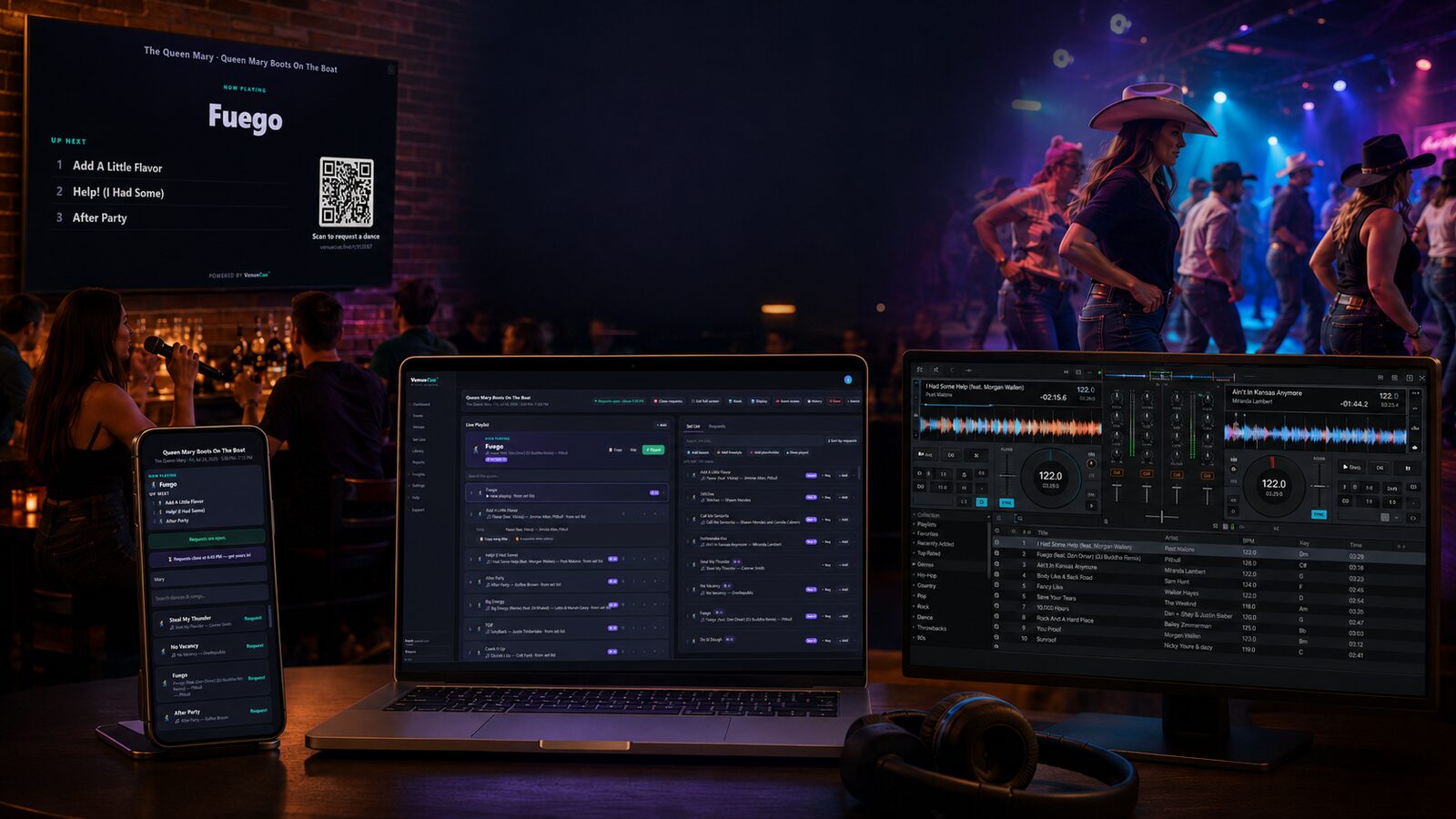
You stay in control. VenueCue™ keeps the workflow organized.
It works alongside your existing DJ software — it doesn’t replace it, and never provides music or playback. Request a preview and run a sample event end to end.
Get Started